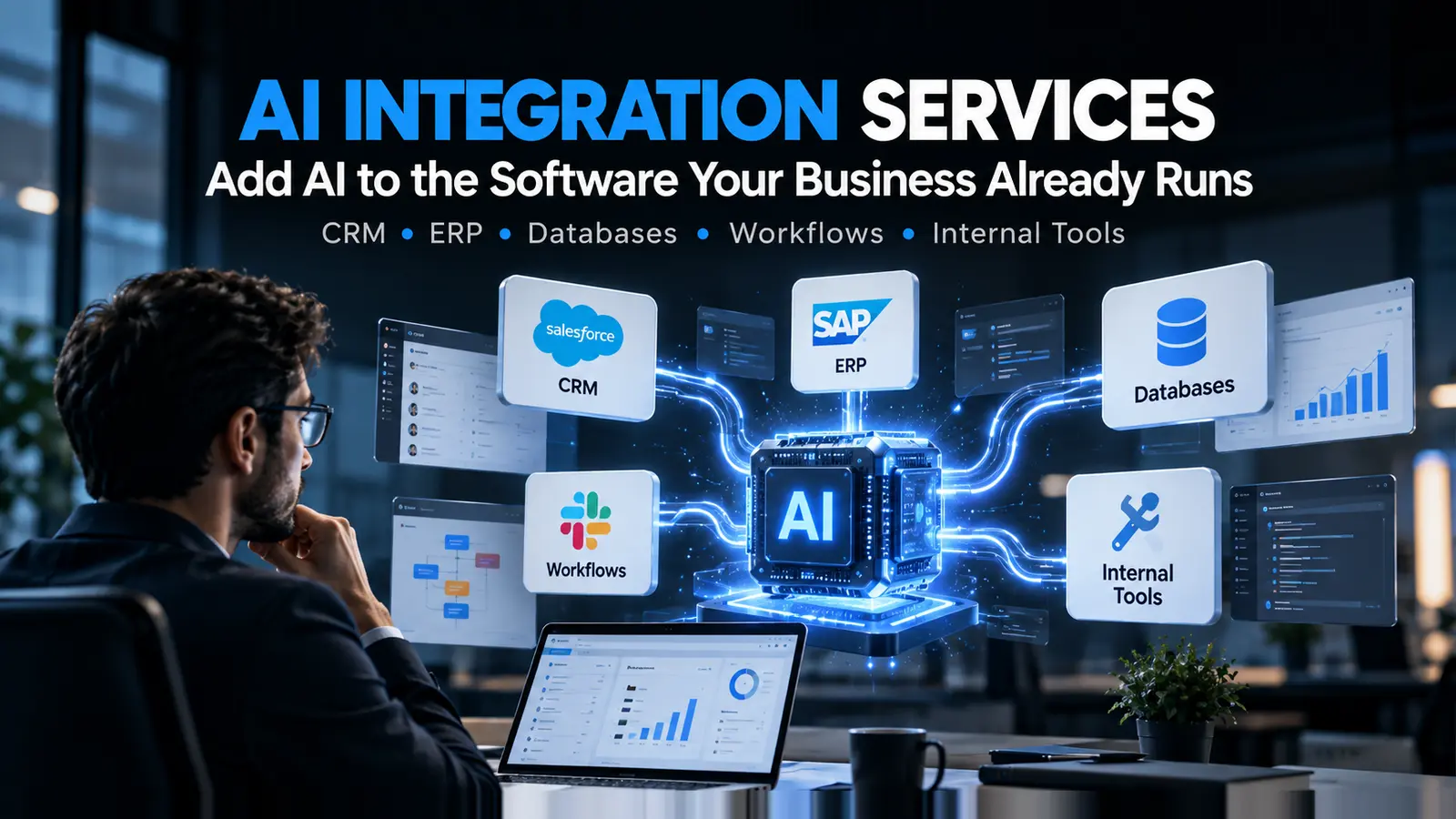
AI Integration Services for Existing Software
Can you add AI to existing business software without replacing it? Yes. See how AI integrates with CRM, ERP, databases and support tools, and what it takes.
Most businesses considering AI already have software that works. The CRM holds years of customer history. The ERP runs operations. The support desk processes every ticket. None of it is broken - it simply predates the moment when a system could read a document, answer a question, or draft a reply.
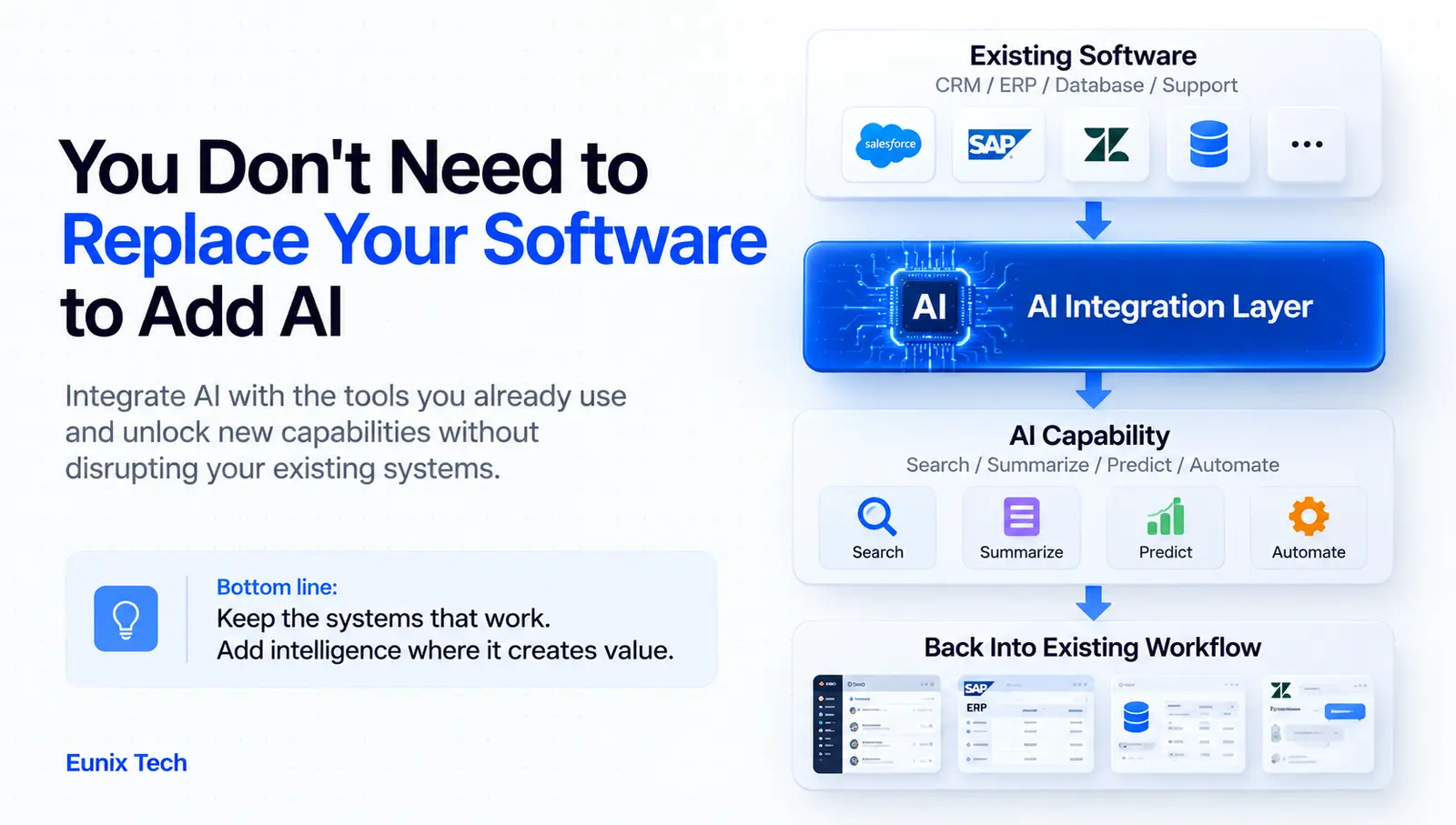
That is the situation AI integration services exist for. Rather than replacing systems that already do their job, integration adds AI capability to what you have: connecting a model to your CRM, your databases, your support platform, your internal tools. It is usually faster, less disruptive, and considerably less risky than a migration, and it lets you keep the thing that makes AI useful in the first place, which is your own data.
This guide covers what AI integration means in practice, which systems and AI types are involved, how an integration actually gets built, the security questions that matter most, what drives cost, and how to choose an integration partner. Along the way it covers generative AI integration services, AI and GPT integration services, and where AI integration consulting services genuinely earn their fee.
What Are AI Integration Services?
AI integration services connect AI capabilities to software a business already runs. The deliverable is not a new application - it is new capability inside existing applications, plus the integration layer that makes it work reliably.
In practice that means connecting AI to business applications, CRM platforms, ERP systems, databases, customer support software, internal tools, document management systems, communication platforms, websites and applications, and the APIs that tie them together.
The distinction worth being clear about is this. Building a new AI application means designing a product from scratch, with its own interface, data model, and infrastructure - appropriate when the AI capability is the product. Adding AI to an existing system means the AI appears inside tools your team already opens every morning, working on data that is already there. The second is usually the better first move: adoption is easier because nobody has to learn a new tool, the data problem is smaller because the data is already in one place, and the risk is contained because you have not bet the business process on a rewrite.
If you are weighing the two, our guide to AI application development covers the build-from-scratch path in detail.
Why Integrate AI Into Existing Business Software?
Reduce the Need for Complete Software Replacement
Replacing a working CRM or ERP because it lacks AI is an expensive way to solve a solvable problem. Migration means data conversion, retraining, months of parallel running, and a period where the business gets worse before it gets better. Integration sidesteps all of it - the system stays, the workflows stay, and the capability arrives through an API.
Automate Repetitive Tasks
Data entry, document processing, email classification, routine customer enquiries, report generation, and data extraction all share a shape: predictable work performed on unstructured input. This is where integration pays back fastest, because the manual baseline is already measured and the improvement is visible within weeks.
Improve Decision-Making
AI-powered insights, forecasting, recommendations, pattern detection, and predictive analytics turn data you are already collecting into something people act on. Most businesses have far more usable data than they have time to analyse.
Improve Customer Experience
AI chat assistants, personalised recommendations, automated support, intelligent search, and faster response times. The gain here is usually coverage and speed - answering the routine eighty percent instantly so people handle the twenty percent that needs judgement.
Make Existing Software More Intelligent
The broadest case: software that already handles core operations gains the ability to read, summarise, suggest, and answer. A CRM that can tell you what happened on an account is a different tool from one that only stores what happened, even though the underlying records have not changed.
What Types of AI Can Be Integrated Into Existing Software?
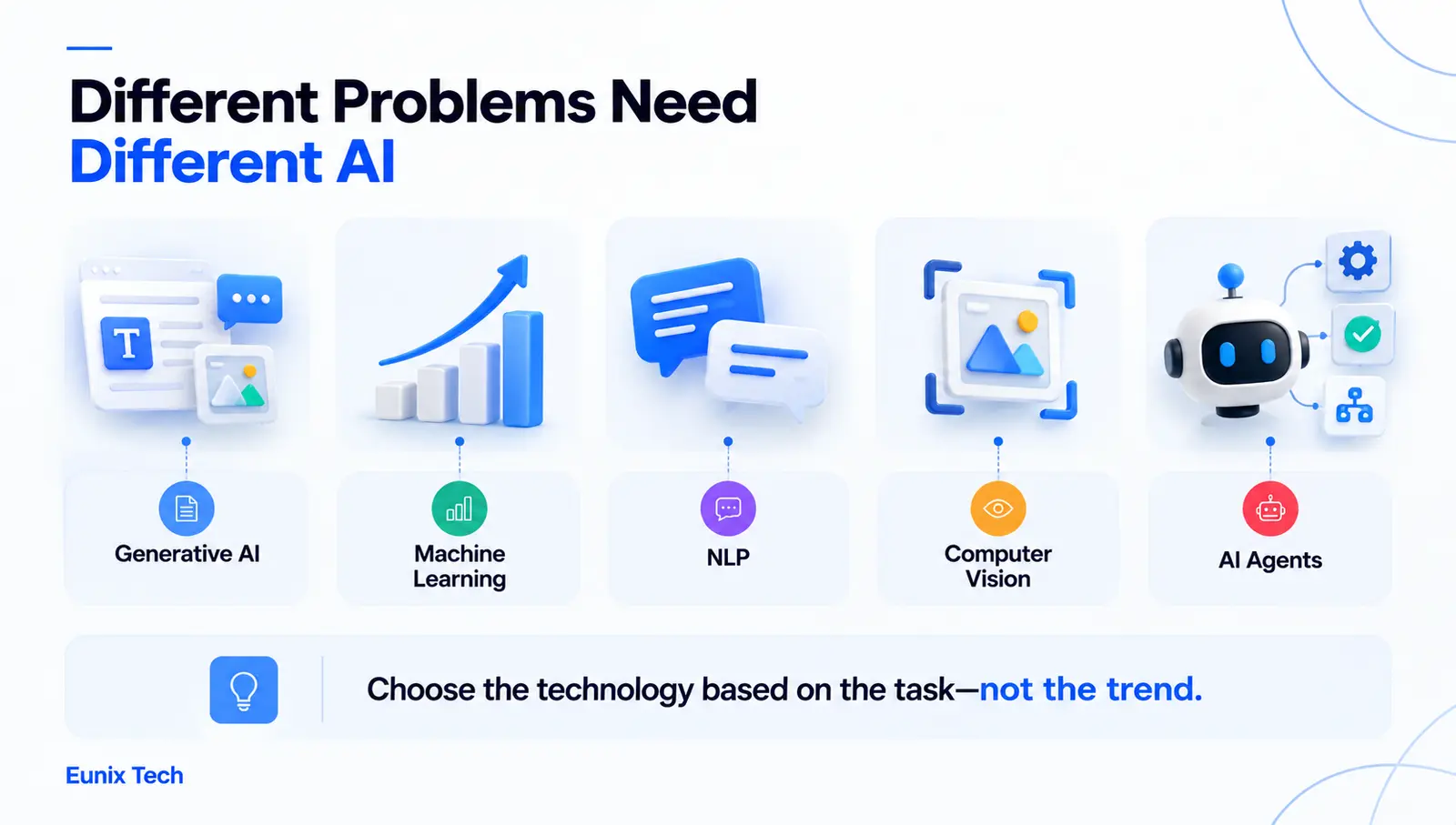
Generative AI
Text generation, summarisation, content assistance, document analysis, question answering, and AI assistants. This is the category most generative AI integration services work sits in, because language models handle the unstructured text that fills most business systems - emails, tickets, notes, contracts, reports.
Machine Learning
Predictions, classification, recommendations, forecasting, and anomaly detection. Where the task is numerical or the pattern is statistical, a conventional ML model is often more accurate, faster, and much cheaper to run than a language model.
Natural Language Processing
Text analysis, sentiment analysis, document classification, search, and information extraction - the workhorse techniques that turn free text into structured fields your existing systems can store and query.
Computer Vision
Image analysis, document scanning, object detection, and quality inspection. Most commonly integrated for document capture, where a scanned page becomes structured data.
AI Agents and Agentic AI
Agents that execute multi-step workflows, use tools, and carry out automated decision processes with human approval at defined points. This is the newest and least mature category, and it is where agentic AI integration consulting services matter most - an agent connected to production business systems is a security and reliability design problem before it is an AI problem. It is also the term most loosely used in the market, something we have written about in why "agentic AI" is an overused term.
What Business Software Can Be Integrated With AI?
CRM Systems
AI CRM integration services typically cover lead scoring, customer insights, automated follow-ups, sales recommendations, and segmentation. CRMs are the most common starting point for a reason: the data is structured, the API is usually good, and sales teams feel the benefit immediately.
ERP Systems
Inventory forecasting, financial analysis, procurement assistance, operational insights, and workflow automation. ERP integrations tend to be higher value and harder - the systems are older, the APIs more restrictive, and the data more sensitive.
Databases
Natural-language queries, data analysis, automated reporting, data classification, and intelligent search. Letting a non-technical manager ask a question in plain English and get a correct answer from live data is one of the highest-impact integrations available, and one of the easiest to get dangerously wrong, as the database section below covers.
Customer Support Platforms
AI chatbots, ticket classification, suggested responses, knowledge-base search, and automated routing. Suggested responses reviewed by an agent usually beat fully automated replies on both accuracy and customer satisfaction, at least until the system has earned trust.
HR and Business Management Software
Employee support, document processing, workflow automation, and internal knowledge assistants - often the safest place to start, since the audience is internal and mistakes are cheap to correct.
Common Questions About Connecting AI to Your Existing Systems
How Do You Connect an AI Assistant to CRM and Ticketing Data in Real Time?
Do not copy the data into the AI tool. Give the assistant controlled, read-only access to your CRM or ticketing system through the system's own API, and let it fetch the specific records it needs at the moment of each question. The assistant asks, the integration layer checks who is asking, fetches only what that user is allowed to see, and returns it to the model as context. This keeps the answer current, keeps your CRM as the single source of truth, and means permissions are enforced in the integration layer rather than trusted to the model.
How Do You Integrate AI Without Moving Your Data?
Leave the data where it is and bring the AI to it. Typical patterns are querying through existing APIs, using read replicas or views that expose only approved fields, and retrieval over an index that stays inside your own environment. When data residency or compliance is the concern, the model can run inside your cloud account or through a provider agreement that covers it. Moving data is the exception, and usually only needed for heavy analytics or model training.
How Do You Add an AI Chat Feature to an Existing App?
Treat it as a new service your app calls, not a rewrite of the app. A thin backend endpoint receives the user's message, adds the context the model needs (account details, recent activity, documentation), calls the model through a provider SDK or an agent platform, and streams the answer back to your existing interface. The decisions that matter are what context to include, what the assistant is allowed to do, and how you log and review its answers.
How Do You Integrate AI With Existing Cloud Architecture?
Fit it to what you already run. If you are on AWS, Azure or Google Cloud, each offers managed model access that keeps traffic and billing in the same account, and your existing queues, functions and identity systems can carry the integration. Add AI as an asynchronous step where speed is not critical, and keep a fallback path so that a model outage degrades a feature rather than breaking the product.
How Does AI Integration With Existing Systems Work?
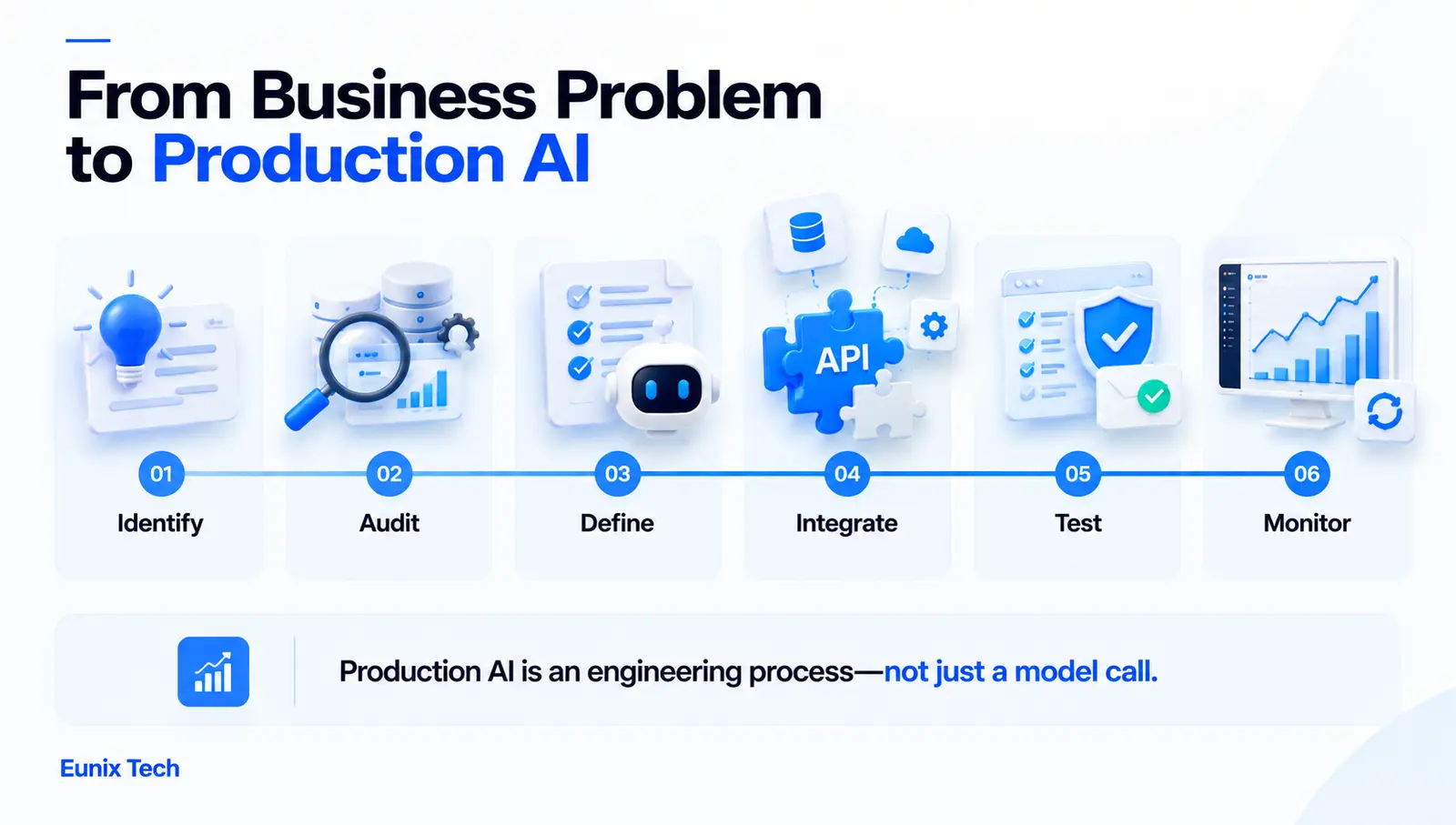
1. Identify the Business Problem
Start with the workflow, not the technology. Too many support tickets, manual data processing, slow reporting, information nobody can find, repetitive administration - these are integration briefs. "We should use AI" is not.
2. Audit Existing Software and Data
Review the applications involved, their APIs and what those APIs actually permit, the databases and data sources, the authentication model, the real workflows, and the security requirements. This step routinely changes the plan: an API that turns out to be read-only, or a system with no API at all, reshapes what is possible.
3. Define the AI Use Case
Decide precisely what the AI should do, what data it needs to do it, what actions it is permitted to perform, and where a human must stay in the loop. Vagueness here becomes scope creep later.
4. Select the AI Model or Technology
Choose between LLMs, conventional machine learning models, computer vision, NLP techniques, agents, or a custom model - driven by the task, not by what is currently fashionable. A classification problem solved by a small trained model will outperform a language model on cost, latency and consistency.
5. Build the Integration Layer
APIs, middleware, webhooks, SDKs, data pipelines, and authentication. This layer is where most of the engineering effort goes, and it is what determines whether the integration is maintainable a year from now.
6. Connect AI With Business Data
Wire in databases, CRM records, documents, knowledge bases, and internal applications - with retrieval where the AI needs to answer from your content rather than its training. Grounding the model in real data is the single biggest lever on accuracy.
7. Test the Integration
Validate accuracy, performance, security, reliability, response time, and failure handling. AI outputs need their own evaluation beyond conventional testing - the approach is covered in our guide to LLM evaluation.
8. Deploy and Monitor
Production deployment plus monitoring, logging, model performance tracking, usage, and cost. Integrations fail quietly - an API changes, quality drifts, spend climbs, so monitoring is not optional.
Common AI Integration Architecture
A typical integration looks like this:
Existing Business Software → API / Integration Layer → AI Model → Business Data → AI Response or Action → Existing Software
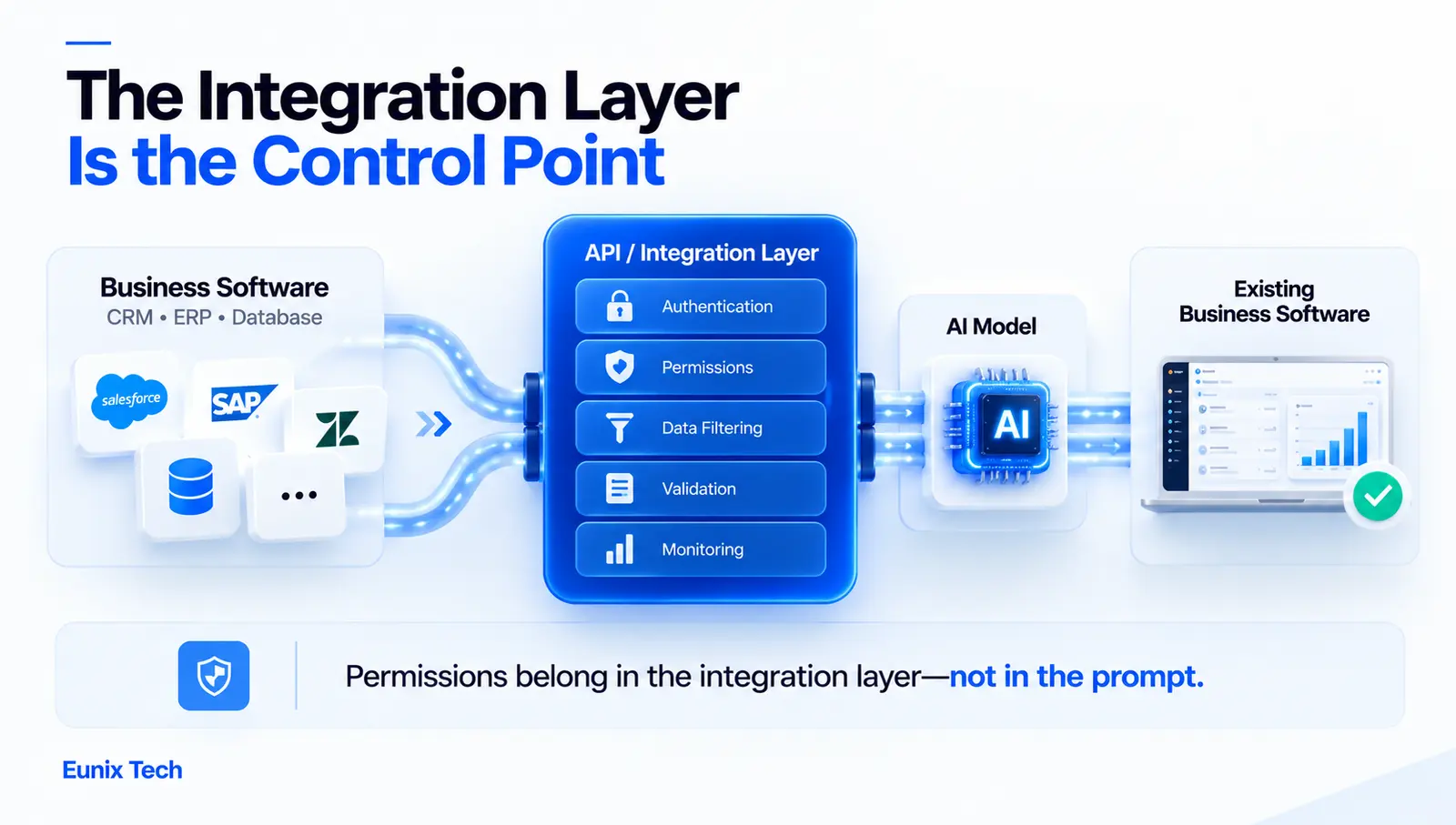
The components in play are your existing applications, an API layer that mediates every request, the AI model, your database and often a vector database for semantic retrieval, an authentication system that determines what the AI may see, monitoring across the whole path, and a human approval layer for consequential actions.
Two design points matter more than the rest. First, the integration layer is the control point - it decides what data reaches the model, validates what comes back, and enforces permissions. Putting those responsibilities in the prompt instead of the integration layer is the most common architectural mistake in this work. Second, the response has to return into the existing software, not into a separate interface. An AI answer that lives in its own dashboard adds a tool; an AI answer that appears inside the CRM record changes the workflow. For the deeper structural patterns, see our guide to LLM architecture.
AI and GPT Integration Services: What Can GPT Add to Existing Software?
AI and GPT integration services cover the practical applications of general-purpose language models inside business systems: AI customer support, internal knowledge assistants, document summarisation, email drafting, data interpretation, natural-language search, sales assistance, report generation, and content workflows.
What separates a working GPT integration from a risky one is everything around the model call. Access controls determine which records the model can see for a given user. Data protection governs what leaves your environment and what the provider retains. Prompt management keeps instructions versioned and testable rather than scattered through the codebase. Output validation checks structure and content before anything reaches a user or triggers an action. Monitoring tracks quality, latency and cost. And human oversight stays in place wherever being wrong is expensive.
A GPT integration without those is a demo that happens to be connected to production data, which is a considerably worse position than a demo.
AI Integration With SQL Server and Business Databases
Connecting AI to SQL Server or a comparable business database unlocks natural-language queries, data summarisation, business intelligence, automated reporting, data classification, anomaly detection, and forecasting. A manager asking "which accounts renewed late last quarter?" and getting a correct answer is a genuinely valuable capability.
It is also the integration where careless design does the most damage, so the constraints deserve as much attention as the capability. Database permissions should be scoped to a dedicated account with the minimum access the use case requires. Read access by default - write access, if granted at all, should be narrow, explicit, and gated by human approval. Query validation should sit between the model and the database so generated SQL is checked before execution rather than trusted. Performance matters because a generated query can be expensive; timeouts and row limits belong in the integration layer. Sensitive information should be filtered at the data layer, not the prompt, since a model cannot be relied upon to withhold what it has been given. And audit logging should record every query the AI ran, on whose behalf, and what came back.
The rule that follows from all of this: an AI system should never have unrestricted database access. Scope it as you would scope a new employee with no track record - narrowly, explicitly, and with everything logged.
Generative AI Integration Services for Business Workflows
Document Processing
Extracting information, summarising documents, classifying files, and generating structured output from unstructured pages. Often the clearest ROI in the whole category, because the manual version is slow, boring, and precisely measurable.
Customer Support
Answering questions, summarising conversations, recommending responses, and routing tickets. Starting with summarisation and suggested responses builds confidence before anything is automated end to end.
Sales
Summarising leads, drafting follow-ups, analysing customer interactions, and surfacing opportunities from activity that is already logged in the CRM.
Internal Knowledge
Searching company documentation, answering employee questions, summarising policies, and retrieving relevant information. Low risk, high frequency, and an excellent first project - internal users tolerate imperfection while the system is tuned, and their feedback is immediate.
AI Integration Security and Data Privacy Considerations
Integration puts a model in contact with real business data, which makes security a design input rather than a review step. The full surface: authentication, authorisation, encryption in transit and at rest, API security, data access controls, handling of sensitive information, data retention policies, audit logs, role-based access, secure model connections, and the security posture of the AI vendor itself - including what they do with your data and whether they train on it.
Two questions decide most of it. What data can the model see, and who decided that? And what can the model do, as opposed to merely say?
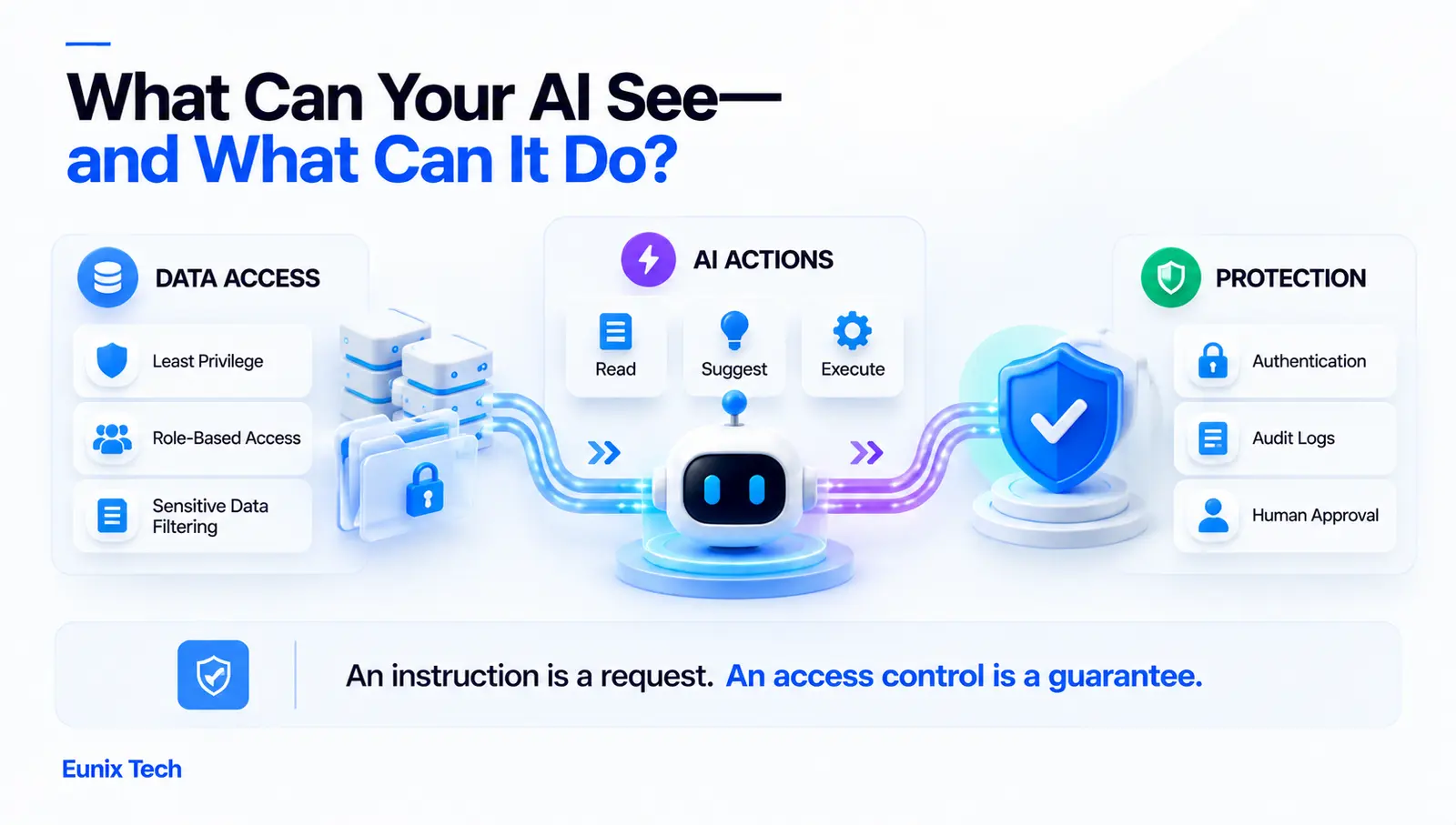
How to Prevent AI From Accessing Unauthorized Business Data
Enforce least-privilege access so the integration can only reach what the use case requires. Apply role-based permissions so the AI sees exactly what the requesting user is entitled to see - never more, which is the failure mode that leaks one customer's data into another's answer. Filter data before it reaches the model rather than instructing the model to ignore it. Authenticate every request. Segment data access by tenant, department or sensitivity. Monitor what the integration actually retrieves. And require human approval for sensitive actions.
The principle underneath: permissions belong in the integration layer, not in the prompt. A prompt instruction is a request; an access control is a guarantee. Any integration relying on the former is one clever question away from an incident.
Common Challenges of AI Integration
Legacy Software
Outdated systems with limited, poorly documented, or non-existent APIs. Sometimes the integration point has to be a database, a file drop, or a scheduled export rather than a clean API - workable, but it changes the estimate. Where the underlying system is the real constraint, legacy modernisation may need to come first.
Poor Data Quality
Inaccurate, incomplete, or inconsistent data limits AI performance more than model choice does. The uncomfortable truth of most integration projects is that the AI works and the data does not.
API and Integration Complexity
Connecting several systems multiplies failure modes - rate limits, authentication expiry, schema changes, partial failures midway through a workflow. Each connection needs its own error handling.
Security and Compliance
Sensitive business data requires controls that add real engineering effort, particularly in regulated industries where audit and data residency requirements shape the architecture.
AI Accuracy and Hallucinations
Incorrect or unsupported outputs are the risk everyone knows about. The countermeasures are retrieval-augmented generation to ground answers in your data, validation of outputs before use, and human review wherever the cost of being wrong is high.
Cost Management
API usage, infrastructure, data processing, monitoring, and model selection together create a recurring cost that scales with adoption. Successful pilots have a habit of becoming expensive quietly.
User Adoption
The most underrated challenge. An integration nobody uses returns nothing, however well engineered. Adoption comes from putting the AI inside the workflow people already have, training them on it, and being honest about what it does badly.
How Much Do AI Integration Services Cost?
Integration pricing depends on project complexity rather than a fixed rate, because the same phrase - "add AI to our CRM" - covers a two-week connector and a six-month programme. These are the variables that decide which one you have.
| Cost Factor | Potential Impact |
|---|---|
| Number of systems | Each additional integration increases complexity |
| AI model | Different models carry different usage costs |
| Data volume | Large datasets increase processing requirements |
| API complexity | Restrictive or legacy APIs require more development |
| Security requirements | Enterprise controls expand project scope |
| Custom AI development | Custom models add significant development effort |
| User volume | More users increase infrastructure and API costs |
| Automation complexity | Multi-step workflows need additional engineering |
| Testing | Business-critical systems require extensive validation |
| Maintenance | Monitoring and optimisation are recurring costs |
The two that most often surprise people are API complexity and testing. An integration against a modern, well-documented API is straightforward; the same integration against a system whose API was designed in 2011 can take several times longer. A technical discovery or integration assessment - actually looking at the systems, APIs and data involved - is what converts this table into a number. Our guide to AI software development cost covers the broader budgeting framework.
How to Choose an AI Integration Service Provider
Evaluating AI integration consulting services is different from evaluating an AI development shop. The critical skill is not model expertise but experience connecting to existing business software, because that is where these projects succeed or stall.
Look for demonstrable experience integrating with systems like yours, strong API development capability, AI and machine learning expertise, generative AI experience specifically, database integration experience, security knowledge, cloud architecture skill, relevant industry exposure, testing and monitoring capability, post-launch support, a clearly bounded project scope, and case studies you can actually interrogate.
Questions to Ask an AI Integration Company
- Have you integrated AI with systems similar to ours, and what went wrong on those projects?
- Which AI models would you recommend here, and why those?
- How will our business data be protected, and what leaves our environment?
- Which systems and APIs will need to be connected, and have you checked they support what we need?
- How will AI outputs be validated before they reach a user or trigger an action?
- How will the integration scale as usage grows?
- How will performance and quality be monitored in production?
- What ongoing maintenance will this require?
- How will API and infrastructure costs be controlled?
- What happens to our workflow if the AI service becomes unavailable?
Question ten separates the experienced from the optimistic. Every hosted AI service has outages, and an integration without a defined degraded mode simply breaks the business process it was meant to improve. AI consulting services integration with existing systems is fundamentally reliability engineering, and a partner who has not thought about failure has not done this before.
AI Integration vs. Replacing Existing Business Software
| Factor | AI Integration | Software Replacement |
|---|---|---|
| Existing infrastructure | Retained | Often replaced |
| Implementation | Usually incremental | Potentially extensive |
| Business disruption | Lower | Potentially significant |
| AI capabilities | Added to current systems | Built into the new platform |
| Data migration | Often limited | Usually required |
| Training | Focused on new AI features | May require broad retraining |
| Cost | Depends on integration scope | Can be substantial |
| Flexibility | Enhances existing workflows | Depends on the new platform |
Replacement is sometimes right - when the existing system is genuinely at end of life, unsupported, or blocking the business in ways AI cannot patch over. But "it does not have AI" is rarely sufficient reason on its own. Integration is worth properly evaluating first, because it is reversible in a way a migration is not: if the AI capability disappoints, you still have the system you had before.
When Should a Business Consider AI Integration?
The clearest signals are: existing software that works well but lacks AI; employees performing repetitive tasks a system could handle; business data that is difficult to analyse; growing customer support volume; teams spending significant time searching for information; manual reporting consuming hours each week; a CRM or ERP holding valuable data nobody has time to mine; and a desire for AI capability without committing to a full software migration.
If several of these describe your situation, integration is likely the higher-return path, and a lower-risk one, since each use case can be validated independently before the next is attempted.
A Step-by-Step AI Integration Roadmap
Phase 1: Discovery. Identify business objectives, map the real workflows, audit the systems, and locate the data sources.
Phase 2: Use-case prioritisation. Rank candidates on business value, technical feasibility, cost, risk, and implementation complexity. The best first project scores high on value and low on risk - rarely the most exciting one on the list.
Phase 3: Proof of concept. Build a limited integration to validate accuracy, user experience, performance, and business value before committing to production work.
Phase 4: Production integration. Connect the solution to production systems with proper authentication, error handling, and access controls.
Phase 5: Testing and security. Validate data protection, access controls, AI output quality, and system reliability - including behaviour when the AI service fails.
Phase 6: Launch and monitoring. Track usage, accuracy, costs, errors, and user feedback from day one.
Phase 7: Continuous optimisation. Improve prompts, models, workflows, data, automation, and user experience based on what production reveals.
The sequencing matters. Businesses that run phases one and two properly tend to pick a first use case that succeeds, which funds the next one. Businesses that skip to phase four with whichever idea sounded best in a meeting tend to get one expensive lesson instead.
Benefits of Working With Professional AI Integration Services
Professional AI integration services shorten implementation because the failure modes are already known, bring technical expertise across both AI and the systems being connected, produce better architecture at the integration layer where it matters most, handle security properly rather than retrofitting it, reduce implementation risk, build infrastructure that scales past the pilot, help select use cases likely to actually work, provide ongoing optimisation, and - most importantly - integrate with existing workflows rather than beside them.
The strongest argument is the selection one. Much of the value an experienced partner adds happens before any code is written, in ruling out the use cases that were never going to justify their cost.
Why Choose Eunix Tech for AI Integration?
At Eunix Tech, integration work sits at the intersection of the two things we do: production AI engineering and full-stack software engineering. Connecting a model to a CRM, an ERP, a database or an internal tool is an API, data and security problem as much as an AI one, and teams strong in only one half tend to produce integrations that impress in a demo and struggle in production.
Our work covers AI systems and workflow development, LLM and RAG engineering, API reliability, legacy application integration and modernisation, and technical audits of AI systems that are already live but not behaving. A significant share is stabilisation - including rescuing a failed AI chatbot project and building AI workflow automation for small and mid-sized businesses. Senior engineers do the work directly, including the discovery that determines whether a use case is worth building at all.
Add AI to Your Existing Business Software
Ready to add AI to your existing business systems? The useful starting point is not a technology decision - it is an honest look at which workflows cost the most time and which of your systems can actually be connected.
An AI integration assessment identifies the suitable use cases, the limitations in your current systems, the APIs and data sources required, the security requirements, the recommended technologies, an implementation roadmap, and a realistic project scope. Talk to us about your current stack and where your team loses time, and if we think the integration is not worth building, we will tell you that.
Conclusion
You do not need to replace working software to benefit from AI. AI integration services connect AI capability to the CRM, ERP, databases, support platforms and internal tools you already run, and generative AI integration services add intelligent search, document processing, assistants, automation, and natural-language interfaces on top of systems that already hold your data.
Successful integration starts with a business problem rather than a model choice. Data quality, security, APIs, architecture, testing, and monitoring determine whether it works, and the integration layer, not the prompt, is where permissions and validation belong. Implement incrementally, starting with high-value use cases you can manage, and let each success fund the next.
Where internal capability or capacity is short, experienced AI integration consulting services help identify the opportunities worth pursuing and reduce the technical risk of the ones you choose. For related reading, see our guides to AI application development and AI automation development, or get in touch for an integration assessment.
Frequently Asked Questions
What are AI integration services?
AI integration services connect AI capabilities to software a business already runs - CRM, ERP, databases, customer support platforms, internal tools and APIs - rather than building a new application. The deliverable is new capability inside existing systems, plus the integration layer, security controls and monitoring that make it reliable in production.
How can AI be integrated into existing business software?
Through an integration layer built on APIs, middleware, webhooks, SDKs and data pipelines that sits between your applications and the AI model. That layer controls what data reaches the model, validates what comes back, enforces permissions, and returns the result into the existing software so it appears inside the workflow people already use.
What business systems can be integrated with AI?
Most commonly CRM systems (lead scoring, customer insights, follow-ups, segmentation), ERP systems (forecasting, financial analysis, operational insights), databases (natural-language queries, reporting, intelligent search), customer support platforms (classification, suggested responses, routing), and HR or business management software (employee support, document processing, internal knowledge assistants).
What are generative AI integration services?
Integrations built around language models that generate content - text generation, summarisation, document analysis, question answering and AI assistants. They suit business systems because most of the data in them is unstructured text: emails, tickets, notes, contracts and reports that conventional software can store but not interpret.
How can GPT be integrated into existing software?
Through an API integration covering customer support, internal knowledge assistants, document summarisation, email drafting, data interpretation, natural-language search, sales assistance and report generation. A production GPT integration also needs access controls, data protection, versioned prompt management, output validation, monitoring, and human oversight where being wrong is costly.
What are AI CRM integration services?
Connecting AI to a CRM platform for lead scoring, customer insights, automated follow-ups, sales recommendations and segmentation. CRMs are a common first integration because the data is structured, the APIs are usually well documented, and sales teams see the benefit quickly.
Can AI be integrated with SQL Server?
Yes - enabling natural-language queries, data summarisation, business intelligence, automated reporting, classification, anomaly detection and forecasting. It requires careful scoping: a dedicated account with least-privilege permissions, read access by default, query validation before execution, timeouts and row limits, filtering of sensitive data at the data layer, and full audit logging. An AI system should never have unrestricted database access.
How much do AI integration services cost?
It depends on the number of systems, the AI model, data volume, API complexity, security requirements, whether custom AI development is needed, user volume, automation complexity, testing depth, and ongoing maintenance. API complexity and testing are the two most commonly underestimated. A technical discovery or integration assessment is needed before a meaningful estimate is possible.
How long does AI integration take?
It varies with the number of systems, the quality of their APIs, data readiness, security requirements, and how much of the workflow is being automated. A single well-scoped integration against a modern API is a matter of weeks; a multi-system integration with legacy software, strict security requirements and multi-step automation is a matter of months. API quality and data readiness predict the timeline better than AI complexity does.
Is AI integration better than replacing existing software?
Usually worth evaluating first. Integration retains your infrastructure, is incremental, causes less disruption, rarely requires data migration, and is reversible - if the AI disappoints, you still have the system you had. Replacement makes sense when the existing software is genuinely end-of-life or blocking the business in ways AI cannot address, but lacking AI is rarely sufficient reason on its own.
How do AI integration services handle business data securely?
Through authentication and authorisation, encryption in transit and at rest, API security, least-privilege and role-based data access, filtering of sensitive information before it reaches the model, defined data retention, audit logging, and human approval for sensitive actions. The core principle is that permissions belong in the integration layer, not the prompt - an instruction is a request, an access control is a guarantee.
What are the biggest challenges of AI integration?
Legacy software with limited or undocumented APIs, poor data quality, the complexity of connecting multiple systems, security and compliance requirements, AI accuracy and hallucinations, ongoing cost management, and user adoption. Data quality and API limitations cause more integration failures than model capability does.
What is agentic AI integration?
Integrating AI agents that execute multi-step workflows, use tools and carry out automated decision processes, with human approval at defined points. It is the least mature integration category: an agent connected to production business systems is a security and reliability design problem first, so scoped permissions, approval gates, monitoring and error handling for partial failures matter more than the model.
When should a business use AI integration consulting services?
When existing software works but lacks AI, when employees perform repetitive tasks a system could handle, when valuable data sits unanalysed in a CRM or ERP, when support volume is growing, or when you want AI capability without a full migration. Consulting is most valuable early - much of the return comes from ruling out use cases that were never going to justify their cost.
How do I choose an AI integration service provider?
Prioritise experience connecting to existing business software over model expertise alone, since that is where these projects succeed or stall. Look for API development capability, AI and generative AI experience, database integration experience, security knowledge, cloud architecture skill, testing and monitoring capability, and post-launch support. Ask what happens if the AI service becomes unavailable - a partner without a degraded-mode answer has not run one of these in production.
