API Monitoring: How Businesses Can Detect and Prevent API Failures
Learn how API monitoring helps businesses detect failures, track performance, reduce downtime, and improve API reliability with proactive monitoring.
Most API failures are not dramatic. Nothing crashes, no alarm sounds, and the status page stays green. Instead, an order sync quietly stops at 2 a.m., a payment callback starts timing out for one customer segment, or a partner changes a field name and your dashboard fills with blanks. The business finds out when a customer complains, and by then the damage has been accumulating for hours.
API monitoring exists to close that gap. It is the practice of continuously checking that your APIs, and the APIs you depend on, are available, fast and returning correct results, so that you hear about a problem before your customers do. This guide explains what to monitor, how monitoring works, which metrics matter, how to set it up without drowning in alerts, and where a simple approach is genuinely better than an elaborate one.
What Is API Monitoring?
API monitoring is the continuous measurement of an API's availability, performance and correctness. A monitoring system sends requests to your endpoints (or watches real traffic), records what comes back, compares it with what should come back, and alerts people when the two diverge.
It answers four plain questions at all times:
- Is the API up?
- Is it fast enough?
- Is it returning the right thing?
- Is it getting better or worse over time?
That last question is what separates monitoring from a one-off check. A single successful request tells you almost nothing. A month of measurements tells you that response times creep up every Monday morning, or that errors cluster after each release.
Why API Monitoring Is Important
Modern software is a web of APIs. Your website calls your backend, your backend calls payment, shipping, CRM and identity services, and increasingly an AI model as well. Each connection is a place where something can fail, and a failure in one place often shows up somewhere else entirely.
The business case is straightforward:
- Downtime costs trust before it costs money. Customers forgive a slow day more readily than a silent failure that loses their data.
- Failures hide. Many API problems return a successful status code with the wrong content, or fail only for certain inputs.
- Dependencies multiply the risk. Every third-party API you rely on is a system you do not control.
- Slow is a failure too. An endpoint that responds in eight seconds is "up" and effectively broken.
- Evidence settles arguments. When a partner says their service was fine, your own measurements say otherwise or confirm it.
If you are connecting systems and AI across your operations, monitoring is not an optional extra on top. It is part of what makes the integration trustworthy, which is the theme of our guide to custom API integration services.
What You Should Monitor
Teams often monitor only the obvious thing, whether the server responds, and miss the failures that matter. A useful scope has several layers:
- Availability. Does the endpoint answer at all, from the places your users are?
- Performance. How long does it take, at the typical case and at the slow tail?
- Correctness. Does the response contain the expected fields, types and values?
- Business workflows. Does the whole sequence work end to end: sign up, pay, receive confirmation?
- Dependencies. Are the third-party APIs you rely on healthy, and are you within their limits?
- Security signals. Unusual spikes, repeated authentication failures or unexpected callers.
- Certificates and credentials. Expiring TLS certificates and API keys are a classic cause of outages that were entirely predictable.
The fourth layer is the one most often missing. An endpoint can return 200 OK while the workflow behind it is broken, which is why a single health check is never enough.
Common Causes of API Failures
Understanding why APIs fail tells you what to watch for:
- Releases. A deployment changes behaviour, a schema or a dependency.
- Third-party changes. A provider updates a field, retires a version or changes a limit with little warning.
- Capacity. Traffic grows past what the service, database or connection pool can handle.
- Rate limits. Your own usage hits a provider's ceiling, and requests start being rejected.
- Expired credentials. Tokens, keys and certificates lapse.
- Network and DNS problems. Failures between systems rather than inside them.
- Slow dependencies. One sluggish downstream call holds up everything waiting on it.
- Bad data. An unexpected input that the code never anticipated.
- Configuration drift. An environment variable or setting differs between environments.
Most of these are detectable early if you are watching the right signals, and several are entirely preventable.
Warning Signs of API Failure
Failures rarely arrive without notice. Watch for:
- Response times drifting upward over days or weeks
- A rising share of retries or timeouts
- Intermittent errors that "fix themselves"
- Errors concentrated in one region, customer segment or endpoint
- Growing queues of work waiting on an API response
- Support tickets describing missing or stale data
- Error spikes that follow each release
- Rate-limit warnings from providers
Intermittent errors deserve particular suspicion. A problem that appears for a minute and disappears is usually a symptom of something that will return, larger.
How API Monitoring Works
Although tools differ, the underlying mechanics are consistent:
- Define what healthy looks like. Which endpoints, what response, how fast.
- Collect measurements. Either by sending scheduled test requests (synthetic monitoring) or by recording real traffic (real-user or passive monitoring), or both.
- Evaluate against thresholds. Compare each result with the expected status, content and speed.
- Alert on deviation. Notify the right person through the right channel.
- Store the history. Keep the data so you can spot trends, investigate incidents and report on reliability.
- Review and improve. Use what you learn to fix root causes and refine the checks.
The value is in the whole loop. Collecting data that no one acts on is just storage.
Types of API Monitoring
Different approaches catch different problems, and most mature setups combine several:
- Uptime monitoring. Simple, frequent checks that an endpoint responds.
- Synthetic monitoring. Scripted requests, often multi-step, that simulate real use from outside your network.
- Real-user (passive) monitoring. Measurement of actual production traffic, which reveals problems synthetic checks cannot predict.
- Performance monitoring. Tracking latency and throughput over time, including slow-tail behaviour.
- Functional or contract monitoring. Verifying that responses match the agreed structure and values.
- Workflow (transaction) monitoring. End-to-end checks of a business process across several APIs.
- Third-party dependency monitoring. Watching the external services you rely on.
- Security monitoring. Detecting abuse, anomalies and failed authentication.
A sensible starting point is uptime plus functional checks on your most critical endpoints. Add the rest as the need becomes visible.
Key API Monitoring Metrics
You can measure dozens of things. These are the ones that earn their place:
| Metric | What it measures | Why it matters |
|---|---|---|
| Uptime | The share of time the API is available and responding | The baseline of reliability and the figure most agreements are written around |
| Response time | How long a request takes from send to complete answer | Directly shapes user experience and downstream timeouts |
| Error rate | The share of requests that fail or return error codes | The fastest signal that something is wrong, and a good alert trigger |
| Latency | The delay before a response begins, and its spread across requests | Reveals network and processing problems, especially in the slow tail |
| Success rate | The share of requests that return a correct result, not just any result | Catches the failures that return a success code with the wrong content |
| Throughput | The number of requests handled per unit of time | Shows load and capacity, and warns you before limits are reached |
Two practical points. First, prefer percentiles to averages: an average hides the slow requests that real users feel, while the 95th or 99th percentile exposes them. Second, measure success rate as correctness, not just status codes, because "200 OK" with the wrong body is still a failure.
API Monitoring Tools and Software
The market is crowded, and the right choice depends on your situation rather than a leaderboard. Tools generally fall into a few families:
- Dedicated API monitoring services focused on uptime, synthetic checks and alerting, usually quick to adopt.
- Full observability platforms that combine metrics, logs and traces across your whole stack.
- Cloud-native monitoring built into your hosting provider, convenient if you already live there.
- Open-source tooling that gives you control and avoids licence costs, in return for setup and upkeep.
- API gateway analytics that report on traffic passing through a gateway you already run.
When comparing API monitoring tools and API monitoring software, ask practical questions: Can it check from multiple locations? Can it run multi-step workflows? Does it validate content, not just status? How good is alert routing? Can it monitor third-party APIs? How is the data retained and exported? What does it cost as you add endpoints?
We deliberately do not rank vendors here. A tool that suits a ten-person team with a handful of endpoints may be wrong for an enterprise with hundreds, and the reverse is equally true.
How to Set Up API Monitoring
A pragmatic setup, in order:
- List your APIs and rank them by business impact. Start with the ones where failure hurts most: payments, authentication, order flow, core data sync.
- Define healthy. For each critical endpoint, write down the expected status, response structure and acceptable speed.
- Add basic checks first. Availability and a simple content check, running every minute or few minutes.
- Check from outside. At least some checks should run from beyond your own network, since that is what customers experience.
- Add workflow checks for the two or three journeys the business cannot afford to lose.
- Set thresholds from real data. Observe normal behaviour for a week or two before deciding what counts as abnormal.
- Route alerts to people who can act, with enough context to start diagnosing.
- Monitor your dependencies. Add the third-party APIs you rely on.
- Review regularly. Retire noisy checks, add missing ones, and revisit after every incident.
Notice what is not on the list: monitoring everything on day one. Breadth comes later, and starting narrow produces useful signal sooner.
Alerts and Notifications
Alerting is where monitoring succeeds or fails in practice. Too few alerts and you miss incidents; too many and people learn to ignore them.
- Alert on symptoms customers feel, such as elevated error rate or slow checkout, rather than on every internal fluctuation.
- Separate urgency levels. A failing payment endpoint wakes someone up; a slowly growing latency trend goes to a ticket queue.
- Avoid single-blip alerts. Require a failure to persist across a few checks, or from more than one location, before paging anyone.
- Make alerts actionable. Say what is failing, since when, how badly, and where to look first.
- Route to the owner, not to a shared inbox no one reads.
- Define escalation. If the first person does not respond, someone else must.
- Tune after every incident. If an alert fired late, tighten it. If it fired for nothing, loosen it.
Alert fatigue is the enemy. A team that mutes its alert channel has, in effect, no monitoring at all.
How Monitoring Prevents Failures
Monitoring is often described as detection, but its larger value is prevention:
- Trends warn you early. Rising latency or error rates signal trouble before outright failure.
- Capacity data guides scaling. Throughput trends show when you are approaching limits.
- Expiry checks prevent predictable outages. Certificates and credentials can be flagged weeks ahead.
- Release correlation catches regressions. Seeing errors rise right after a deployment points directly at the cause.
- Dependency tracking exposes partner problems quickly, so you can switch to a fallback or inform customers sooner.
- Post-incident data fixes root causes, so the same failure does not return.
The goal is a reliable service in which most incidents are caught while still small, not a faster scramble when something large breaks.
Monitoring Third-Party APIs
You do not control the APIs you consume, but you are still responsible for what your customers experience when they fail. Practical steps:
- Measure them yourself. Do not rely only on a provider's status page, which tends to lag reality.
- Track their latency and error rate as seen from your systems.
- Watch your usage against their rate limits.
- Subscribe to their change notices and deprecation announcements.
- Run contract checks that confirm the response structure has not changed.
- Plan fallbacks. Decide in advance what your system does when the dependency is down: queue the work, degrade gracefully or route to a person.
AI model APIs deserve the same treatment as any other dependency, with extra attention to latency variability and output validity. We cover the integration side of this in our guides to AI integration services and AI chatbot API integration.
API Monitoring Best Practices
- Start with business-critical endpoints and expand gradually.
- Monitor from outside as well as inside your network.
- Validate content, not only status codes.
- Use percentiles rather than averages for performance.
- Test whole workflows, not just individual endpoints.
- Set thresholds from observed behaviour, then refine.
- Keep alerts few, meaningful and owned.
- Monitor dependencies with the same care as your own services.
- Track certificate and credential expiry.
- Keep history so you can see trends and prove reliability.
- Include monitoring in every new integration, rather than adding it later.
- Review after incidents and feed the lessons back into your checks.
API Monitoring vs API Observability
The two terms are related but not identical.
Monitoring watches for known problems. You decide in advance what to measure and what counts as bad, and the system tells you when a threshold is crossed. It answers "is something wrong?"
Observability is the ability to investigate problems you did not anticipate. Through detailed logs, metrics and traces, it lets you ask new questions of your system after the fact. It answers "why is it wrong?"
| Monitoring | Observability | |
|---|---|---|
| Core question | Is something wrong? | Why is it wrong? |
| Approach | Predefined checks and thresholds | Open-ended exploration of rich data |
| Best at | Detecting known failure modes | Diagnosing unknown ones |
| Effort to adopt | Low to moderate | Moderate to high |
| Typical starting point | Uptime and error-rate checks | Logs, metrics and traces across services |
They work together: monitoring raises the alarm, and observability helps you find the cause. Smaller teams usually need solid monitoring first and add observability as their systems grow more complex.
Common API Monitoring Mistakes
- Checking only that the server responds. Availability without correctness misses most real failures.
- Monitoring from inside your own network only. You will not see what customers see.
- Alerting on everything. The result is alert fatigue and ignored pages.
- Using averages. They hide the slow requests users actually experience.
- Setting thresholds by guesswork. Without real baselines, alerts are either constant or silent.
- Ignoring third-party APIs. Many outages originate in dependencies.
- Forgetting certificate and key expiry.
- No owner for alerts. An alert that belongs to everyone belongs to no one.
- Monitoring added after launch. Retrofitting is harder than building it in.
- Never reviewing the setup. Systems change, and checks that were right a year ago may be stale.
How to Choose an API Monitoring Solution
Match the solution to your situation:
- Scale and complexity. A handful of endpoints needs a simple service; hundreds of services need something broader.
- What you need to check. Basic uptime, multi-step workflows, content validation or all of these.
- Where you need to check from. Multiple geographic locations matter if your users are spread out.
- Alerting quality. Routing, escalation, scheduling and integration with how your team already works.
- Third-party coverage. Whether it can watch external APIs as well as your own.
- Data retention and reporting. How long history is kept and how easily you can report on it.
- Team capacity. A powerful tool nobody has time to configure is worse than a simple one that is used.
- Security and compliance. Where data is stored and what the monitoring can see.
- Total cost as your endpoints, checks and team grow.
Run a short trial against your real critical endpoints before committing. A tool that looks impressive in a demo may prove clumsy with your actual workflows.
API Monitoring by Business Size
Small businesses and startups need the basics done well: uptime and content checks on the handful of endpoints that matter, sensible alerts to one or two people, and certificate expiry warnings. A simple hosted service is usually enough, and elaborate platforms are a distraction at this stage.
Growing and mid-sized companies add workflow monitoring, third-party dependency tracking, proper alert routing and ownership, and begin collecting logs and traces. Reliability starts to be something customers and partners ask about.
Enterprises need coverage across many teams and services, consistent standards, reliability targets, incident processes, compliance-grade data handling and often a combination of monitoring and full observability. The challenge is as much organisational as technical: consistent ownership and standards across teams.
At every size, the principle is the same: monitor what the business cannot afford to lose, and grow from there.
An API Failure Prevention Strategy
Tools matter less than the habits around them. A workable strategy has five parts:
- Know what matters. Rank APIs and workflows by business impact.
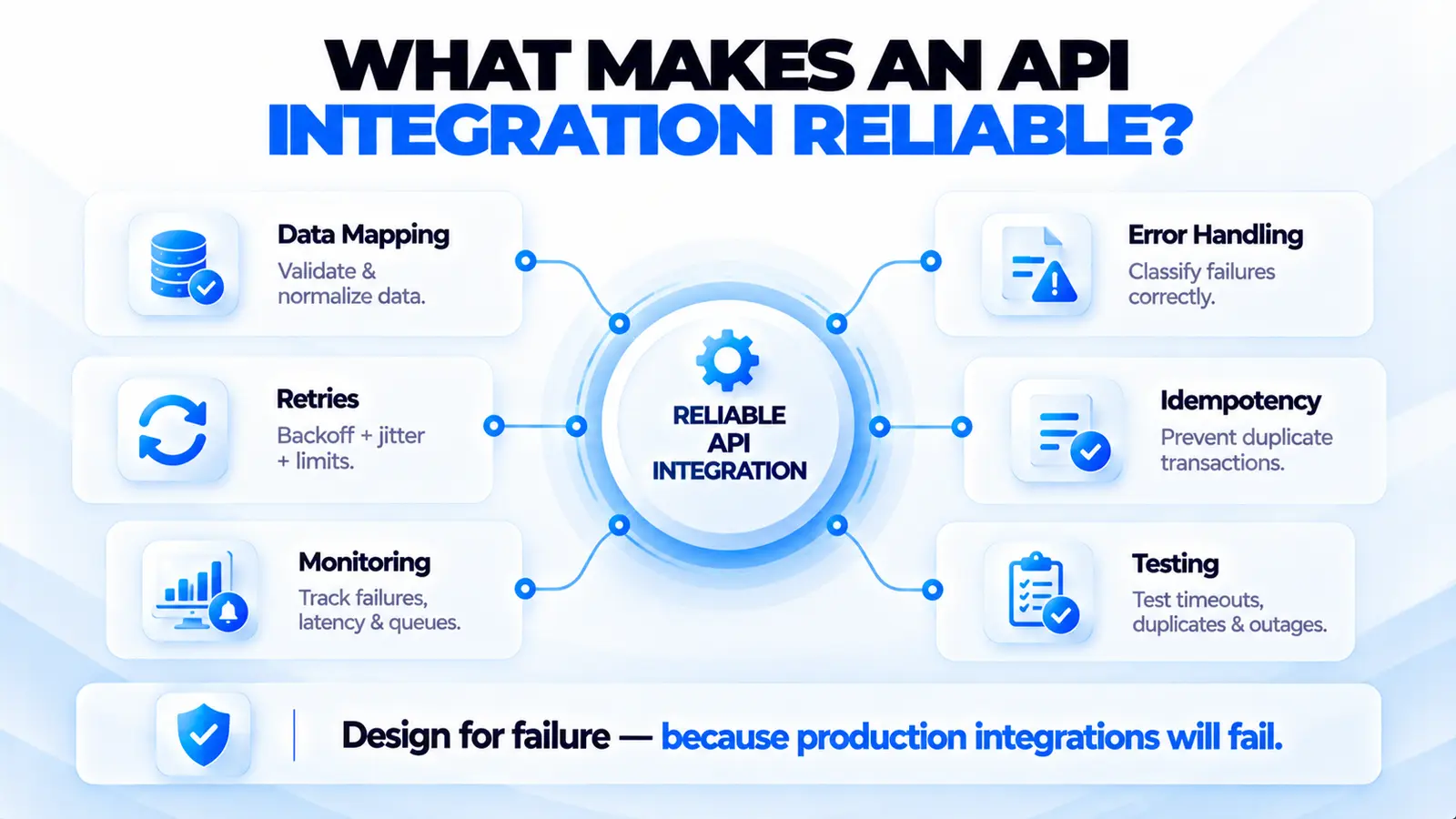
- Design for failure. Use timeouts, retries with limits, safe-to-repeat writes, fallbacks and graceful degradation, so a failing dependency does not take everything down.
- Monitor continuously. Cover availability, speed, correctness, workflows and dependencies.
- Respond well. Clear ownership, actionable alerts, defined escalation and a simple incident process.
- Learn and improve. Review each incident, fix the root cause and update the checks.
Monitoring tells you when something breaks. Designing for failure limits how much it matters when it does. You need both.
When to Build Your Own, and When Not To
One honest caution. Teams with strong engineers are tempted to build their own monitoring platform: a scheduler, a results database, a dashboard and an alerting layer. Resist this unless monitoring is genuinely your product.
A homegrown system quietly becomes something else to maintain, and it has a particular weakness: it tends to live in the same infrastructure it is supposed to watch, so when that infrastructure fails, the monitoring fails with it. Existing services and open-source tools are mature, inexpensive relative to engineering time, and already battle-tested.
The sensible path is to adopt something proven, start with your most critical endpoints, and spend your engineering effort on what monitoring reveals rather than on the monitoring itself. Build custom only for the narrow piece no tool covers, such as a business-specific workflow check.
Professional API Monitoring and Reliability Solutions
Setting up monitoring is straightforward. Setting it up well, with the right checks, sensible thresholds, workable alerts and a response process people actually follow, is where experience matters. It matters most in systems that connect many applications and AI services, where a failure in one place surfaces somewhere else.
Why Choose Eunix Tech
- Reliability designed in. We treat monitoring, error handling and fallbacks as part of building an integration, not an afterthought. See our API reliability work.
- Experience across messy real systems. Legacy platforms, third-party dependencies and AI services all behave differently under failure, and we have seen the patterns. Our legacy modernization practice covers the older end.
- Practical over elaborate. We start with what the business cannot afford to lose and expand only where it earns its keep.
- Clear ownership and handover. Your team understands what is monitored, why, and what to do when an alert fires.
- Integration and AI under one roof. Our AI systems work and our guide to API integration services reflect how monitoring fits into the wider build.
If your integrations are failing quietly, or you would like to find the weak points before your customers do, talk to us. A short conversation about your critical endpoints is usually enough to show where monitoring would help most.
Conclusion
API monitoring is the difference between learning about a failure from your own dashboards and learning about it from an angry customer. It does not need to be elaborate. It needs to cover what matters most: availability, speed and correctness of your critical endpoints, the workflows that make money, and the third-party services you depend on, with alerts that are few, meaningful and owned.
Start small, measure real behaviour, tune your thresholds, and review after every incident. Pair monitoring with sound failure design, and most incidents become minor events caught early rather than outages discovered late. For the integration side of the picture, our guide to custom API integration services is the natural companion to this one.
Frequently Asked Questions
What is API monitoring?
API monitoring is the continuous checking of an API's availability, performance and correctness, with alerts when something deviates from what is expected. It tells you about problems before your customers do.
Why is API monitoring important?
APIs connect the parts of modern software, and failures are often silent. Monitoring catches problems early, limits downtime, protects customer trust and provides evidence when diagnosing incidents or discussing reliability with partners.
What should I monitor in an API?
Monitor availability, response time, error rate, correctness of responses, key business workflows, third-party dependencies, rate-limit usage, and certificate and credential expiry.
What are the most important API monitoring metrics?
Uptime, response time, error rate, latency, success rate and throughput. Use percentiles rather than averages for speed, and measure success as a correct result rather than just a status code.
What is the difference between API monitoring and API testing?
Testing checks that an API works before release, in a controlled setting. Monitoring checks that it keeps working in production, continuously, under real conditions. Both are needed.
What is synthetic API monitoring?
It uses scripted requests, sent on a schedule from chosen locations, to simulate real use and check the result. It detects problems even when no real users are active.
What is the difference between synthetic and real-user monitoring?
Synthetic monitoring runs predictable scripted checks and catches failures proactively. Real-user monitoring measures actual traffic and reveals issues the scripts did not anticipate. Many teams use both.
How often should an API be checked?
Critical endpoints are commonly checked every minute or every few minutes. Less critical ones can be checked less often. The right interval balances how quickly you need to know against the load and cost of checking.
What causes API failures?
Common causes include faulty releases, third-party changes, capacity limits, rate limiting, expired credentials, network or DNS problems, slow dependencies, unexpected data and configuration drift.
How do I know if my API is failing?
Signs include rising response times, more timeouts and retries, intermittent errors, growing queues, stale or missing data and complaints from users. Monitoring detects these before complaints arrive.
What are API monitoring tools?
They are services and software that check your APIs, record results, and send alerts. They range from simple hosted uptime checkers to full observability platforms and open-source options.
How do I choose API monitoring software?
Match it to your scale and needs: the kinds of checks required, locations, alerting quality, third-party coverage, data retention, team capacity, security and total cost. Trial it on your real critical endpoints first.
How do I set up API monitoring?
Rank your APIs by business impact, define what healthy looks like, add basic availability and content checks, test from outside your network, add workflow checks, set thresholds from real data, and route alerts to owners.
How do I avoid alert fatigue?
Alert on symptoms customers feel, require failures to persist before paging, separate urgent from non-urgent, make alerts actionable, assign clear owners and tune after every incident.
Should I monitor third-party APIs?
Yes. Measure their behaviour from your own systems rather than relying on their status page, watch your usage against their limits, run contract checks and plan fallbacks for when they fail.
What is the difference between monitoring and observability?
Monitoring detects known problems against predefined thresholds. Observability lets you investigate unknown problems using rich logs, metrics and traces. Monitoring says something is wrong; observability helps explain why.
Can API monitoring prevent failures?
Partly. Trends in latency, errors and capacity warn you before outright failure, and expiry checks prevent predictable outages. Combined with sound failure design, monitoring prevents many incidents or keeps them small.
Do small businesses need API monitoring?
Yes, though a simple version is enough. Basic uptime and content checks on critical endpoints, with alerts to one or two people, catches most serious problems at low effort.
Should we build our own monitoring system?
Usually not. A homegrown system adds maintenance burden and often shares infrastructure with what it watches. Adopt a proven tool and build custom only for narrow, business-specific checks.
How can Eunix Tech help with API monitoring?
We design monitoring, alerting and failure handling as part of building and maintaining integrations across business systems and AI services. Contact us to discuss your critical endpoints.
